As a small business owner, you’ve likely spent hours perfecting your website. You’ve chosen the perfect color palette, written compelling copy, and ensured your calls-to-action are clear. You are probably tracking your visitors and optimizing for conversions.
But here is a question most businesses forget to ask: Can everyone actually use your website?
In the physical world, we have ramps, elevators, and automatic doors for people with disabilities. In the digital world, that equivalent is Web Accessibility.
Unfortunately, many small business websites are unintentionally designed in a way that makes them difficult—or impossible—to use for people with visual, motor, auditory, or cognitive impairments. And this isn’t just a moral oversight; it is a missed business opportunity and a growing legal risk.
Here is why you need to prioritize web accessibility today.
1. The Size of the Audience You Might Be Missing
It is easy to assume that all your website visitors are like you. But the reality is different. According to the World Health Organization, over 1 billion people—about 15% of the global population—live with some form of disability.
In your specific market (UK, Pakistan, or elsewhere), that is a significant portion of potential customers you could be alienating. When your site isn’t accessible, these users can’t find your products, read your information, or buy your services. They will simply leave your site and go to a competitor whose site they can use.
2. Accessibility and SEO: A Surprising Partnership
Many business owners think that making a site accessible will hurt its performance or make it look “boring.” The opposite is true.
Web accessibility and Search Engine Optimization (SEO) share the same goal: a great user experience.
Google’s algorithms prioritize websites that are easy to navigate and understand. When you make your website accessible, you are also making it more readable for Google’s search bots.
Here are a few examples:
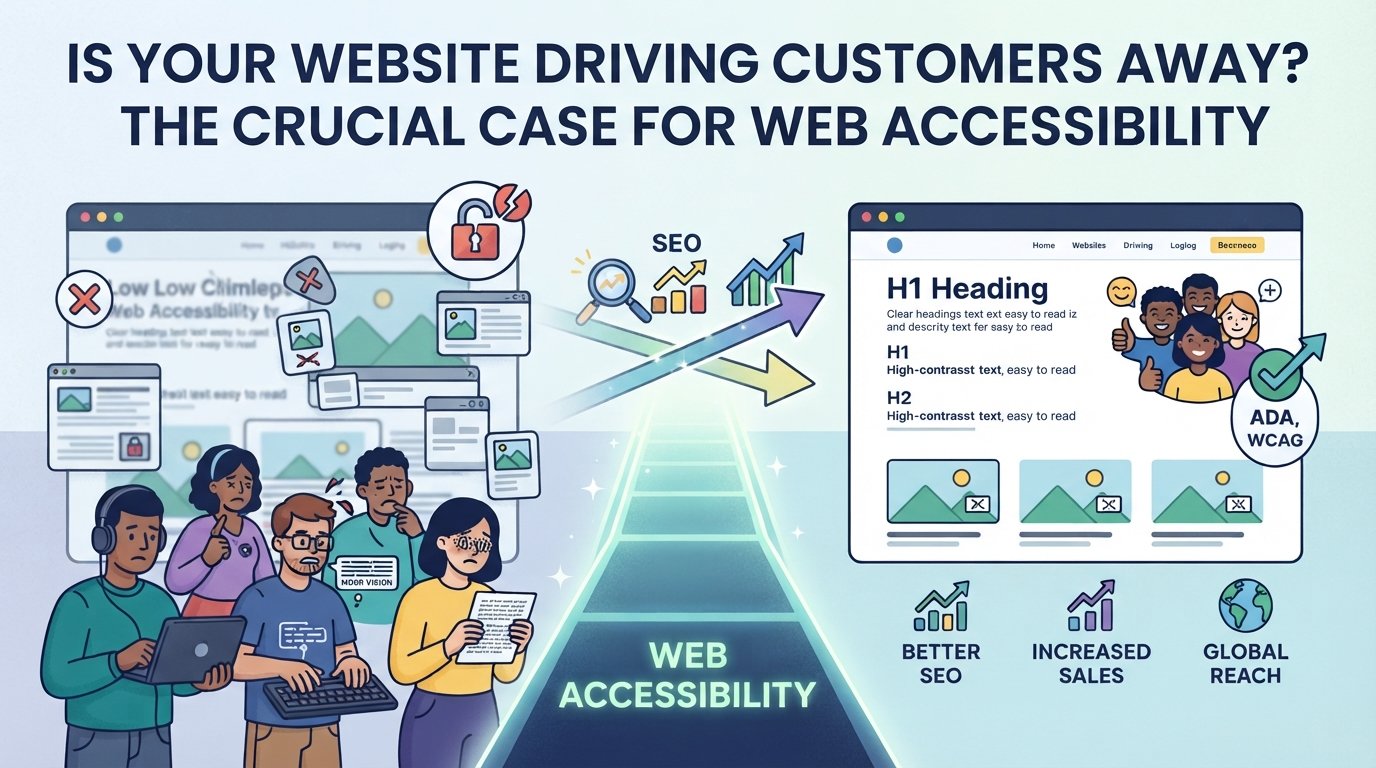
- Alt Text for Images: Adding descriptive “alt text” to your images helps visually impaired users understand what the image is using screen readers. It also tells Google exactly what that image is, which helps it rank in image searches.
- Clear Headings: Using proper heading structures (H1, H2, H3) helps people with cognitive disabilities navigate content. It also helps Google understand the hierarchy of your page, improving your overall SEO ranking.
- Keyboard Navigation: Some users cannot use a mouse and rely on keyboard shortcuts. If your website is fully navigable by keyboard, Google bots can also crawl your pages more effectively.
3. The Legal and Financial Risks
Beyond good business and ethics, there is a legal reality. Laws like the Americans with Disabilities Act (ADA) in the US, the Equality Act 2010 in the UK, and similar regulations worldwide are increasingly being applied to websites.
More and more businesses are facing lawsuits or demand letters because their websites are not accessible. For a small business, the cost of defending against such a lawsuit can be devastating. It is much cheaper and smarter to build accessibility into your website from the start than to face a legal challenge later.
4. It Improves the Experience for Everyone
Web accessibility isn’t just about helping people with permanent disabilities. It helps everyone. Consider these scenarios:
- A person with a broken arm relying on keyboard navigation.
- Someone trying to read your site on their phone in bright sunlight (they rely on high color contrast).
- A user in a noisy environment watching a video without sound (they rely on accurate captions).
A site that is designed for accessibility is, by definition, a site that is easier to use for all visitors, regardless of their situation.
How to Take the First Step
You don’t need to be an expert to get started. Here are three simple things you can do this week:
- Check Your Contrast: Use a free online tool to ensure your text color and background color have enough contrast for people with low vision to read easily.
- Run a Basic Audit: Use a free tool like the Web Accessibility Evaluation Tool (WAVE) to scan your homepage and get a basic report on potential errors.
- Use Alt Text: Go through your website’s key images (like your logo, team photo, and main product shots) and add descriptive alt text.
Ready to make your website work for everyone?
Making your website accessible doesn’t mean starting from scratch. At Studios Next, we can help audit your current site and implement the necessary changes to ensure it is inclusive, compliant, and optimized for success.
Contact us today to learn how we can make your website accessible to every potential customer.
Suggested SEO Metadata for this Blog Post:
- Category: Web Design / User Experience
- Focus Keyword: Web accessibility for small business
- Primary Tags: ADA compliance UK, WCAG standards, web accessibility benefits, inclusive web design.